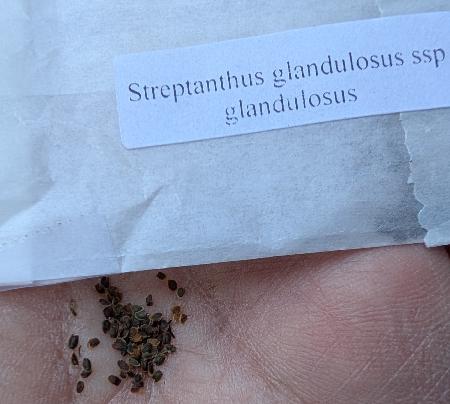
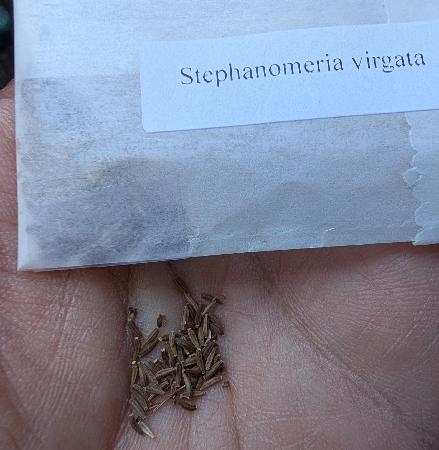
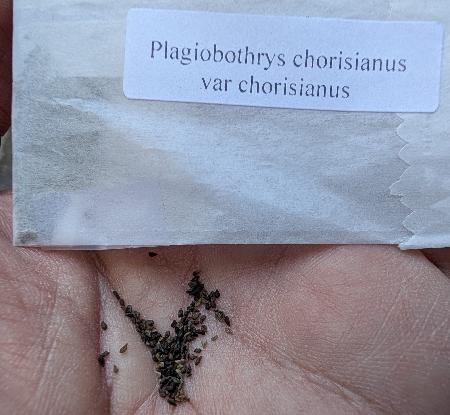
I’ve been enjoying following along with Simon Willison as he plays with LLMs via his llm tool but haven’t tried it out yet. Now I have a small task in mind — I recently planted some seeds, taking a photo of each seed packet while I was at it. I’d like to extract the plant names from these photos.
The first step is to install the llm tool along with llm-mlx to get variants that should run better on Apple hardware:
% brew install llm
% llm install llm-mlx
Let’s get Gemma and give it a try:
% time llm mlx download-model mlx-community/gemma-3-27b-it-qat-4bit
...
llm mlx download-model mlx-community/gemma-3-27b-it-qat-4bit  45.79s user 94.39s system 47% cpu 4:54.10 total
First shrink the images a little using my scaleimage utility:
% cd ~/Downloads/seed_packets

% alias scale_image
scale_image='java -jar $HOME/bin/scaleimage-1.1-SNAPSHOT-jar-with-dependencies.jar'

% scale_image --max-width 600 --max-height 600 *.jpg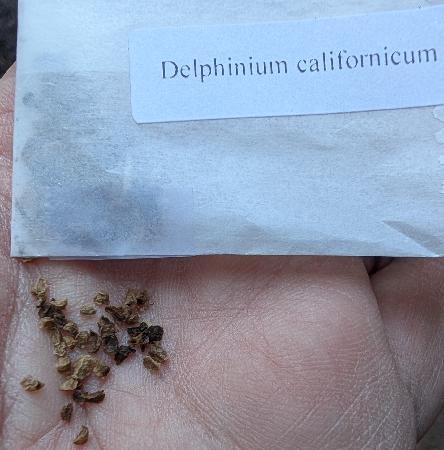
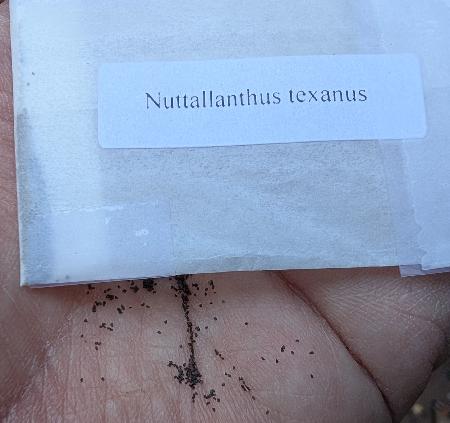
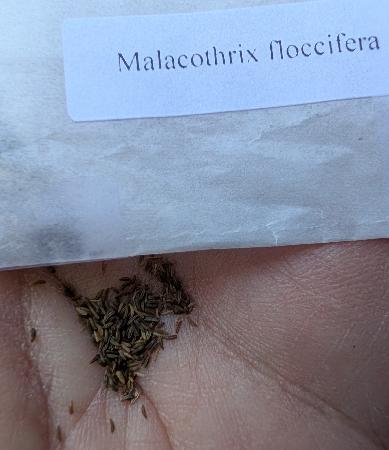
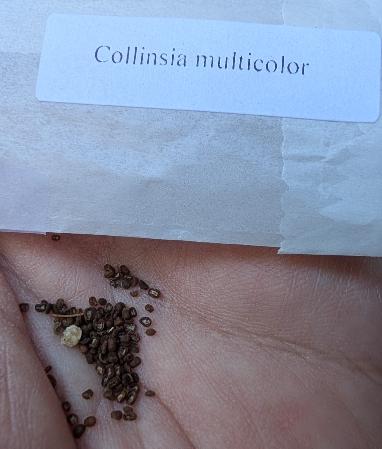
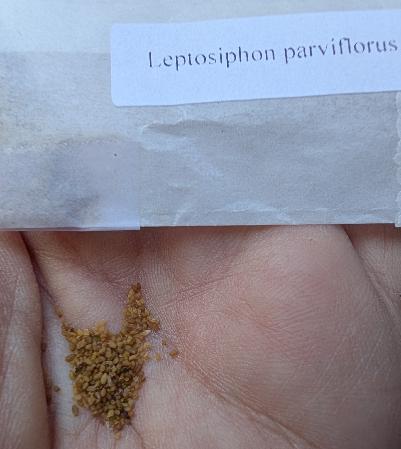
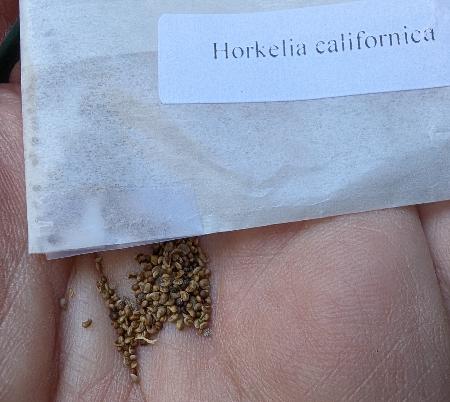
% llm -m mlx-community/gemma-3-27b-it-qat-4bit 'Extract text from the image. Print only the extracted text' -a PXL_20260922_003707484.MP.jpg
Error: This model does not support attachments
Doh! Google says that the following models support attachments:
- Qwen2-VL, Qwen3.5-VL, and Qwen3.8 series (Image-Text-to-Text)
- Gemma Series: Gemma-3n and Gemma-4 multimodal variants (supporting image and audio inputs)
- MiniCPM Series: MiniCPM-V and MiniCPM-o (vision and audio/omni attachments)
- Others: LLaVA, Pixtral, DeepSeek-VL/V2, and Mllama architectures converted to MLX format
Looking at https://huggingface.co/mlx-community/models?search=gemma-4&sort=modified, https://huggingface.co/mlx-community/gemma-4-12B-it-qat-OptiQ-4bit sounds promising.
% time llm mlx download-model mlx-community/gemma-4-12B-it-qat-OptiQ-4bit
...
ModuleNotFoundError: No module named 'mlx_lm.models.gemma4_unified'
...
ValueError: Model type gemma4_unified not supported.
Doh! Okay, let’s look at Gemma-3N models: https://huggingface.co/mlx-community/models?search=gemma-3n&sort=downloads. This one sounds promising: https://huggingface.co/mlx-community/gemma-3n-E2B-it-lm-4bit. The one from which it’s derived supports image inputs, though may perhaps be picky about dimensions — https://huggingface.co/google/gemma-3n-E2B-it. Let’s see what happens!
% time llm mlx download-model mlx-community/gemma-3n-E2B-it-lm-4bit
...
llm mlx download-model mlx-community/gemma-3n-E2B-it-lm-4bit  10.19s user 15.80s system 52% cpu 49.231 total

% llm -m mlx-community/gemma-3n-E2B-it-lm-4bit 'Extract text from the image. Print only the extracted text' -a PXL_20260922_003707484.MP.jpg
Error: This model does not support attachments
Gah! Poking around in the source code for llm:
% grep -Irn "This model does not support attachments"
./llm/models.py:3257:            raise ValueError("This model does not support attachments")
./llm/models.py:3262:                    f"This model does not support attachments of type '{attachment_type}', "
./tests/test_attachments.py:165:    ((), "This model does not support attachments"),
./tests/test_attachments.py:168:        "This model does not support attachments of type 'image/png', only audio/wav",
Ugh. https://github.com/simonw/llm/blob/764dc386c58b625f3ad9d203e699715ad208455f/llm/models.py#L3256
    def _validate_attachments(
        self, attachments: list[Attachment] | None = None
    ) -> None:
        if attachments and not self.attachment_types:
            raise ValueError("This model does not support attachments")
mlx models seem to get loaded here https://github.com/simonw/llm-mlx/blob/b477833b807143241220f6561742833070d907cc/llm_mlx.py#L203
    def _load(self):
        from mlx_lm import load

        if self._model is None:
            self._model, self._tokenizer = load(self.model_path)
        return self._model, self._tokenizer
So, they’re calling the mlx_lm.load with just the first arg, hence defaults for everything else:
def load(
    path_or_hf_repo: str,
...
    model, config = load_model(
        model_path,
        lazy,
        model_config=model_config,
        trust_remote_code=trust_remote_code,
    )
...
    tokenizer = load_tokenizer(
        model_path, tokenizer_config, eos_token_ids=config.get("eos_token_id", None)
    )

    if return_config:
        return model, tokenizer, config
    else:
        return model, tokenizer
where mlx_lm.load_model looks like:
def load_model(
    model_path: Path,
    lazy: bool = False,
    strict: bool = True,
    model_config: Optional[Dict[str, Any]] = None,
    get_model_classes: Callable[[dict], Tuple[Type[nn.Module], Type]] = _get_classes,
    trust_remote_code: bool = False,
) -> Tuple[nn.Module, dict]:
Following the dependency for mlx takes us to https://github.com/ml-explore/mlx and mlx.nn.Module:
class Module(dict):
    """Base class for building neural networks with MLX.
...
Erm… I was hoping for something obvious about image inputs… maybe there is somewhere in the above stuff, but backing up a bit, let’s look for code examples from the HuggingFace community that involve image inputs. Here’s one: https://huggingface.co/mlx-community/gemma-3n-E2B-bf16
python -m mlx_vlm.generate --model mlx-community/gemma-3n-E2B-bf16 --max-tokens 100 --temperature 0.0 --prompt "Describe this image." --image <path_to_image>Bad sign that they’re using mlx_vlm, not just mlx_lm? Sounds like yup: https://lmstudio.ai/blog/unified-mlx-engine: “Historically, mlx-lm has contained implementations for text-only models without multi-modal functionality, while mlx-vlm is the de-facto home for MLX VLM implementations.”
Let’s try a variation on that mlx_vlm example ourselves:
% bin/python3 -m mlx_vlm.generate --model mlx-community/gemma-3n-E2B-bf16 --max-tokens 100 --temperature 0.5 --prompt "Describe this image." --image $HOME/Downloads/seed_packets/PXL_20260922_003707484.MP.jpg
...
It seems to produce empty output :-(. Let’s at least hear a joke:
% bin/python3 -m mlx_vlm.generate --model mlx-community/gemma-3n-E2B-bf16 --max-tokens 100 --temperature 0.5 --prompt "Tell me a joke"          ...
 a joke a joke a joke a joke a joke a joke a joke a joke a joke a joke a joke a joke a joke a joke a joke a joke a joke a joke a joke a joke a joke a joke a joke a joke a joke a joke a joke a joke a joke a joke a joke a joke a joke a joke a joke a joke a joke a joke a joke a joke a joke a joke a joke a joke a joke a joke a joke a joke a joke a joke
I guess that is technically correct.
Giving up on Gemma for a moment, how about something specifically aimed at OCR?
bin/python3 -m mlx_vlm.generate \
  --model mlx-community/GLM-OCR-bf16 \
  --max-tokens 1000 \
  --temperature 0.0 \
  --prompt "OCR this image." \
  --image $HOME/Downloads/seed_packets/PXL_20260922_003707484.MP.jpg
...
Horkelia californica
Sweet! Now let’s try it for all of them:
for i in `ls $HOME/Downloads/seed_packets/*.jpg`; do
  bin/python3 -m mlx_vlm.generate \
  --model mlx-community/GLM-OCR-bf16 \
  --max-tokens 1000 \
  --temperature 0.0 \
  --prompt "OCR this image." \
  --image "${i?}" 2>/dev/null
done

Horkelia californica
Leptosiphon parviflorus
Collinsia multicolor
Malacothrix floccifera
Nuttallanthus texanus
Plagiobothrys chorisianus
var chorisianus
Stephanomeria virgata
Streptanthus glandulosus ssp
glandulosus
Delphinium californicum
Pretty good. What if we ask the LLM not to include linebreaks in the output?
 % for i in `ls $HOME/Downloads/seed_packets/*.jpg`; do
  bin/python3 -m mlx_vlm.generate \
  --model mlx-community/GLM-OCR-bf16 \
  --max-tokens 1000 \
  --temperature 0.0 \
  --prompt "OCR this image, all output on one line, no linebreaks." \
  --image "${i?}" 2>/dev/null
done
Horkelia californica
Leptosiphon parviflorus
Collinsia multicolor
Malacothrix floccifera
Nuttallanthus texanus
Plagiobothrys chorisianus
var chorisianus
Stephanomeria virgata
Streptanthus glandulosus ssp
glandulosus
Delphinium californicum
Nope. But we can do it an old fashioned way:
% for i in `ls $HOME/Downloads/seed_packets/*.jpg`; do
  bin/python3 -m mlx_vlm.generate \
  --model mlx-community/GLM-OCR-bf16 \
  --max-tokens 1000 \
  --temperature 0.0 \
  --prompt "OCR this image." \
  --image "${i?}" 2>/dev/null | tr "\n" " "
  echo
done
Horkelia californica
Leptosiphon parviflorus
Collinsia multicolor
Malacothrix floccifera
Nuttallanthus texanus
Plagiobothrys chorisianus var chorisianus
Stephanomeria virgata
Streptanthus glandulosus ssp glandulosus
Delphinium californicum
This still leaves unanswered how to do this using a local model using simonw’s llm tool. I’m giving up on that for now, but maybe it’d be worthwhile adding a new plugin based on mlx_vlm?
Finally, though, for the past few years, Macs have had excellent OCR built into the system. What if we just use that directly? There’s a nice discussion here of how to use this via Apple Script: https://stackoverflow.com/a/75779406. I’ll hope to try that sometime soon.
Leave a Reply